Encore Player on iPhone Duo
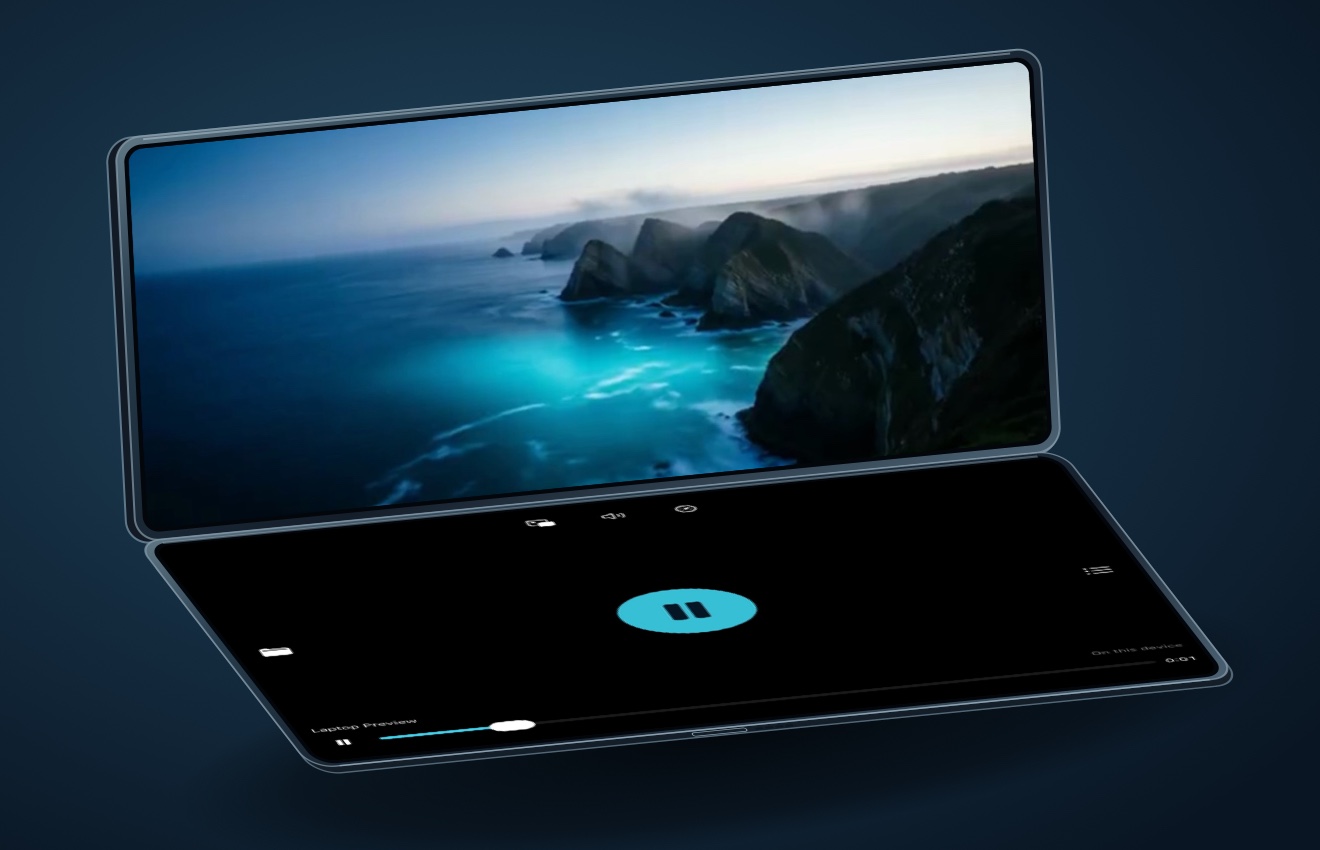
Play the movie you love wherever you are
Fold iPhone Duo into laptop mode and Encore puts your video above the hinge and the playback controls below. Open a movie, play a live recording straight through, or stream from your Plex library.
Get Encore on the App StoreAvailable for iPhone Duo, iPhone, iPad, and Apple TV. Free to download with a one-time Encore Pro unlock.
Full-screen playback
Watch with the Duo held sideways.
Open iPhone Duo flat and turn it to landscape for a wide, full-screen view. Tap to reveal the controls, or double-tap to switch between Fit and Fill.
Playback
Watch, listen, and pick up where you left off.
Made for iPhone Duo
Watch on the cover or inner display, in portrait or landscape. In laptop mode, Encore places the video on the upper half so you can set the Duo down and keep watching.
Full-screen video
Tap to show the controls. Double-tap to switch between Fit and Fill, swipe to skip five seconds, and select available audio tracks and subtitles. Picture in Picture keeps the video playing while you use another app.
Background music
Keep listening when you switch apps or lock the screen. Use system audio controls for headphones, Bluetooth, or AirPlay audio.
Continuous albums and live sets
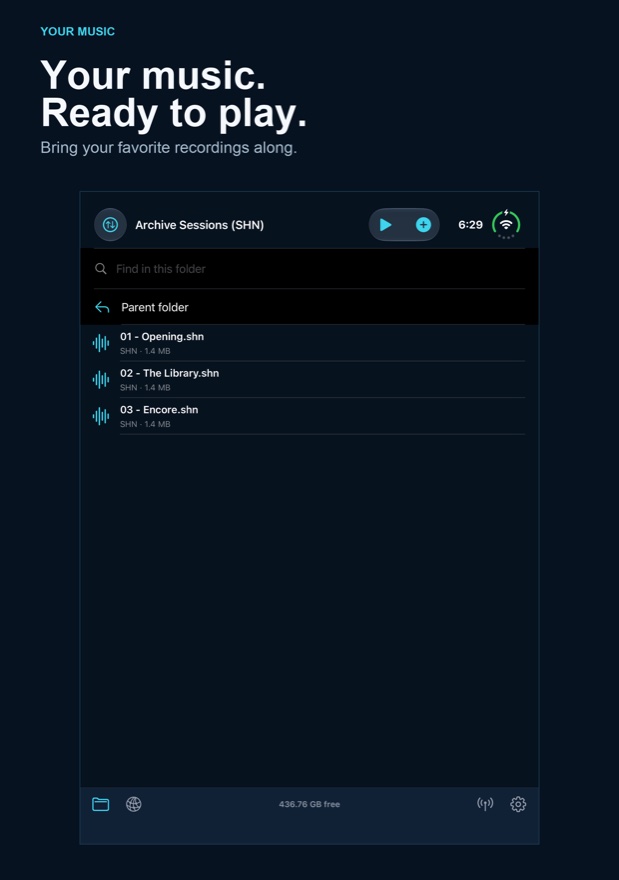
With Pro, queue a folder and play supported tracks gaplessly. Resume a folder at the track you left, or start it over. Use repeat and shuffle when you want a different sequence.
Find your place again
See which videos you started or finished. Filter the library and return to a saved playback position. With matching libraries, Encore can sync playback positions through iCloud.
Controls for how you listen
With Pro, adjust playback speed from 0.5× to 2×, boost quiet audio up to 3×, or set a 15-, 30-, or 60-minute sleep timer.
File formats
Bring the files you already have.
Audio
- MP3
- AAC
- M4A
- FLAC
- SHN
- WAV
- AIF
- AIFF
- ALAC
- CAF
- OGG
- OPUS
- WMA
- APE
- WV
- AC3
- DTS
Encore uses native decoding where available and has a dedicated Shorten (SHN) decoder. The compatibility decoder handles formats such as Ogg, Opus, WMA, Monkey’s Audio (APE), and WavPack (WV).
Gapless playback depends on the track and decoder. MP3 and AAC need accurate padding tags, fallback formats may pause between tracks, and seeking in long SHN files can take longer.
Video
- MP4
- M4V
- MOV
- MKV
- AVI
- WEBM
- WMV
- MPG
- MPEG
- TS
- M2TS
- VOB
- FLV
- OGV
- 3GP
- RMVB
These are the file types Encore recognizes. Playback also depends on the video and audio codecs inside the file, its resolution, and your device. Try a local video in the free preview to check how it plays.
Encore plays personal media files. DRM-protected subscription downloads and DVD disc menus are unsupported.
Encore also recognizes subtitle files with the extensions SRT, ASS, SSA, VTT, and SUB. Track availability depends on the video and playback mode.
Server setup · Encore Pro
Connect your media servers.
Stream from the libraries you already run. Open Network → Add server. Tap a discovered server or enter its address and tap Connect. Automatic can identify the server. Choose the type under Advanced when you want to set it yourself.
Connect Plex
- On iPhone or iPad, open Network → Add server → Advanced. Set Type to Plex.
- Tap Sign in with Plex and complete sign-in on Plex’s authorization page.
- Choose a server from your Plex account and open a library. Return to it from Saved servers.
- Jellyfin
- Enter the server’s base URL and sign in with your Jellyfin username and password when prompted. Include a custom port or base path if your server uses one.
- Emby
- Enter your Emby server’s base URL and sign in with a user who can access its media libraries.
- Subsonic / OpenSubsonic
- Enter the server’s base URL and sign in with your server account. Browse the music library and play albums or tracks.
- WebDAV
- Enter the full WebDAV URL, including the media folder path if needed. Use HTTPS when available and sign in if the server requires it.
- DLNA / UPnP
- On the same local network, choose the server under Nearby media servers. For a manual connection, choose DLNA / UPnP and enter its device-description URL.
- SMB shared folders
- Pick a nearby computer or enter your NAS or computer’s hostname or IP address. Connect as a guest where allowed, or sign in with a share account, then open a shared folder.
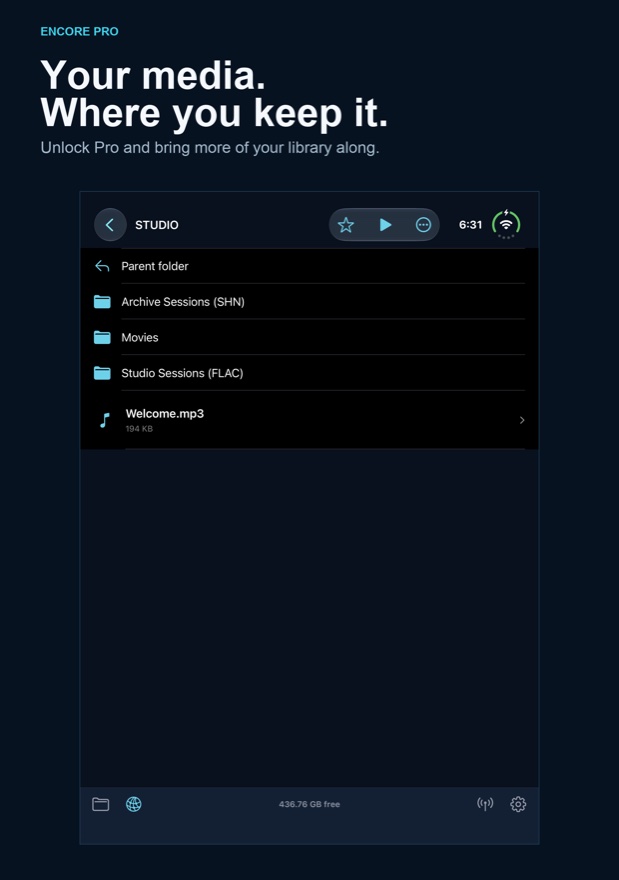
Allow local network access for discovery. If a server doesn’t appear, check that the device can reach it and enter its address manually. Save frequently used folders as shortcuts.
Your library
Add files, organize folders, and take media offline.
Load your own files
Tap + in Encore to import music or video. You can also use Files → Browse → On My iPhone or On My iPad → Encore Player. On a Mac, connect the device by USB, select it in Finder, open Files, and drag media into Encore Player by CodeFarmer.
Search and sort your folders, rename or share files, and use Select to move multiple items together.
Download or transfer with Pro
Download individual tracks, videos, or entire folders from supported servers. See progress, cancel individual downloads, and open completed files from your local library.
For wireless transfers, open Transfers → Start Wi-Fi sharing. On a computer on the same trusted network, open the address shown in Encore and enter the eight-digit code. Keep Transfers open until the upload or download finishes.
Free and Pro
Start with your own files.
Included free
- Play individual local audio tracks in full.
- Preview local videos in full screen.
- Import and organize local files.
Encore Pro · One-time purchase
- Full video playback and continuous folder playback.
- Server streaming and offline downloads.
- Wi-Fi transfers, playback speed, repeat, shuffle, audio boost, and sleep timer.
Devices
On your Duo, iPhone, iPad, and Apple TV.
Encore 1.0.1 is available on the App Store for iPhone and iPad, including iPhone Duo. Requires iOS or iPadOS 17 or later. The in-app Guide includes offline narration, and Formats & playback is available in Settings.
Apple TV · Available now
The Apple TV version brings a thumbnail library, a History sidebar, and remote scrubbing to the big screen. Its Plex setup uses a code you enter at plex.tv/link from another device.